What is a Salesforce Health Check? The Technical Guide to CRM Security
Updated on July 21, 2026
Organizations invest heavily in Salesforce to manage customer relationships, automate workflows, and drive growth. Yet, environments gradually accumulate security gaps, unused customizations, excessive permissions, and poor data quality. This clutter reduces system effectiveness, which is why understanding the importance of a Salesforce health check is critical.
A standard check-up helps teams evaluate the overall condition of their environment, especially since Salesforce reports a heavy organizational reliance on automation, integrations, and now AI. It reviews settings, access controls, data governance, and performance indicators. Ultimately, it exposes risks before they turn into expensive business problems.
What Is a Salesforce Health Check?
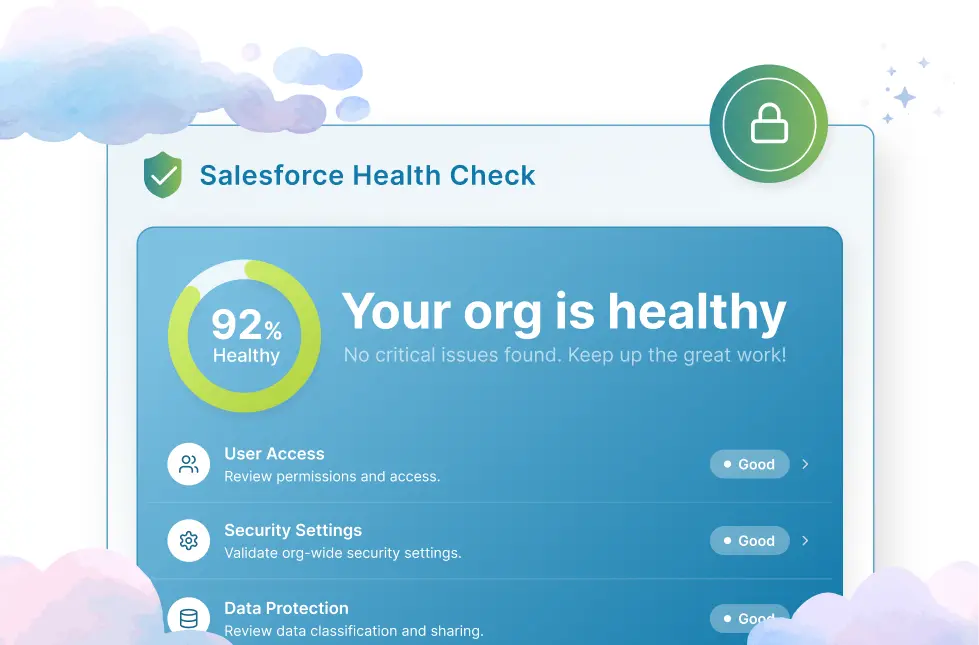
The Salesforce Health Check is a built-in security assessment tool. It compares your active configuration against recommended standards. This baseline comparison instantly surfaces vulnerabilities and configuration gaps.
Think of it as a diagnostic review for your entire system. It evaluates security-related settings and highlights exactly where you drift from best practices.
The native tool enables administrators to:
- Assess security posture
- Identify risky configurations
- Improve compliance readiness
- Strengthen user access controls
- Monitor ongoing security performance
Consider a routine medical exam for your Salesforce instance. Do not wait for an explicit system failure. Proactively resolve weaknesses before they disrupt daily operations or compromise customer data.
What Does Salesforce Health Check Measure?
The tool measures essential security settings across multiple technical categories. These include password policies, session settings, network controls, privileges, and authentication rules.
Key areas typically reviewed include:
| Category | Purpose |
|---|---|
| Password Policies | Evaluate password strength requirements |
| Session Settings | Review login session security |
| MFA Configuration | Reactive |
| Network Access | Analyze IP restrictions and trusted access |
| User Permissions | Identify excessive privileges |
| API Security | Review integration-related security controls |
The system automatically generates a percentage score based on these variables. This score shows how closely you align with vendor baseline recommendations.
How Salesforce Health Check Works
The tool compares your active setup against baseline metrics. Then, it calculates an overall percentage score based on alignment.
The process generally includes:
- Reviewing security settings.
- Comparing configurations against benchmarks.
- Calculating category scores.
- Identifying gaps and risks.
- Prioritizing remediation activities.
Administrators can also customize baseline parameters. This flexibility helps align the tool with internal compliance frameworks or specific industry regulations.
Salesforce Health Check vs Salesforce Optimizer
The health check tool focuses strictly on security settings. Conversely, Salesforce Optimizer evaluates broad performance, adoption, customization efficiency, and technical debt.
| Feature | Salesforce Health Check | Salesforce Optimizer |
|---|---|---|
| Primary Focus | Security Assessment | Org Optimization |
| Security Review | Yes | Limited |
| User Adoption Analysis | Limited | Extensive |
| Customization Review | Limited | Extensive |
| Technical Debt Analysis | Basic | Advanced |
| Governance Insights | Moderate | High |
These utilities are not competitive. Use them together to build a highly effective platform governance strategy.
Why Is a Salesforce Health Check Important?
Strengthens Salesforce Security
Running a regular salesforce security review closes hidden exposure vectors. It uncovers unauthorized entry points and flawed sharing configurations before bad actors exploit them.
Improves System Performance
A secure system experiences fewer integration failures and access bottlenecks. Eliminating conflicting sharing calculations streamlines your background data processing.
Enhances User Adoption
Clean role hierarchies and access controls mean less screen clutter for your employees. Correct permissions ensure teams interact only with highly relevant, accurate data fields.
Reduces Technical Debt
Routine assessments uncover legacy permission sets, inactive profiles, and abandoned automations. Clearing these elements reduces overall complexity and accelerates future deployments.
Supports Compliance Requirements
Enterprise instances must comply with strict privacy mandates like GDPR or HIPAA. Regulatory bodies require continuous environment monitoring. Regular assessments ensure audit compliance according to National Institute of Standards and Technology (NIST) guidelines.
Key Areas Reviewed During a Salesforce Health Check
- Security Settings and Vulnerabilities
- User Access and Permission Management
- Profiles, Roles, and Sharing Rules
- Data Quality and Data Governance
- Custom Objects, Fields, and Automations
- Apex Code and Technical Debt
- Integrations and Connected Applications
- Storage and License Utilization
Benefits of Partnering with Salesforce Consultants for Health Checks
Expert Security Assessment
Specialized professionals bring deep industry experience to your review. They identify subtle configuration flaws that automated scanners misclassify as low priority.
Faster Issue Identification
Experienced personnel know exactly where system bottlenecks and misconfigurations hide. This expertise accelerates your audit, saving internal IT teams weeks of manual labor.
Actionable Improvement Roadmaps
Consultants do not just dump a list of system errors on your desk. They provide a strategic blueprint balancing urgent security fixes with everyday business operations.
Long-Term Salesforce Governance
Working with external experts helps build sustainable management frameworks. This partnership improves internal capabilities, preparing your team to handle future upgrades independently.
What Happens After a Salesforce Health Check?
First, sort your risks by business impact. Then, build a prioritized remediation roadmap.
Next, deploy your configuration updates. Finally, lock it down with continuous monitoring workflows to stop configuration drift.
Be realistic during your evaluation. Some quirky, low-score configurations are actually necessary for legacy integrations. Just document those exceptions.
Fix high-risk gaps immediately using sandboxes. Test your changes thoroughly before hitting production. Once live, turn on automated security alerts.
For example, say you discover unmanaged connected apps. Build a quick two-week remediation roadmap. Revoke legacy access, but safely whitelist your active integrations.
Frequently Asked Questions
What is the purpose of Salesforce Health Check?
The primary purpose of this tool is to provide an automated security assessment of your instance. It analyzes configuration parameters, identifies vulnerabilities, and delivers an actionable scorecard to help administrators lock down data boundaries and align with compliance frameworks.
Is Salesforce Health Check free?
The utility is a completely free, native feature available across most platform editions. Administrators can access the diagnostic interface directly within the setup menu without purchasing additional licenses or installing external software.
What is a good Salesforce Health Check score?
A percentage score of 90% or higher is considered an excellent security posture. Scores between 80% and 89% indicate a reliable setup with minor issues, while any grade below 70% requires immediate cleanup to address high-risk vulnerabilities.
How often should I run a Salesforce Health Check?
Organizations should execute a basic review at least once a month to catch configuration drift. Comprehensive assessments should align with quarterly platform releases and annual security compliance audits to ensure continuous protection.
Can Salesforce Health Check improve system performance?
The tool focuses primarily on security settings rather than code optimization. However, resolving access vulnerabilities and cleaning up excessive user permissions indirectly enhances performance by reducing sharing calculation complexity.
What is the difference between Salesforce Health Check and Salesforce Optimizer?
The health check utility focuses strictly on security settings, login policies, and access controls. The optimizer tool assesses overall platform efficiency, addressing issues like code quality, technical debt, field utilization, and user adoption.

Farhan Ali
Farhan Ali is an SEO and Content Strategist at Cloud Consulting Inc, with over 6 years of experience specialized in the ERP and CRM services niche. He bridges the gap between complex enterprise technology and high-ranking search visibility, transforming technical software capabilities into authoritative, conversion-driven content.